One-tap connect
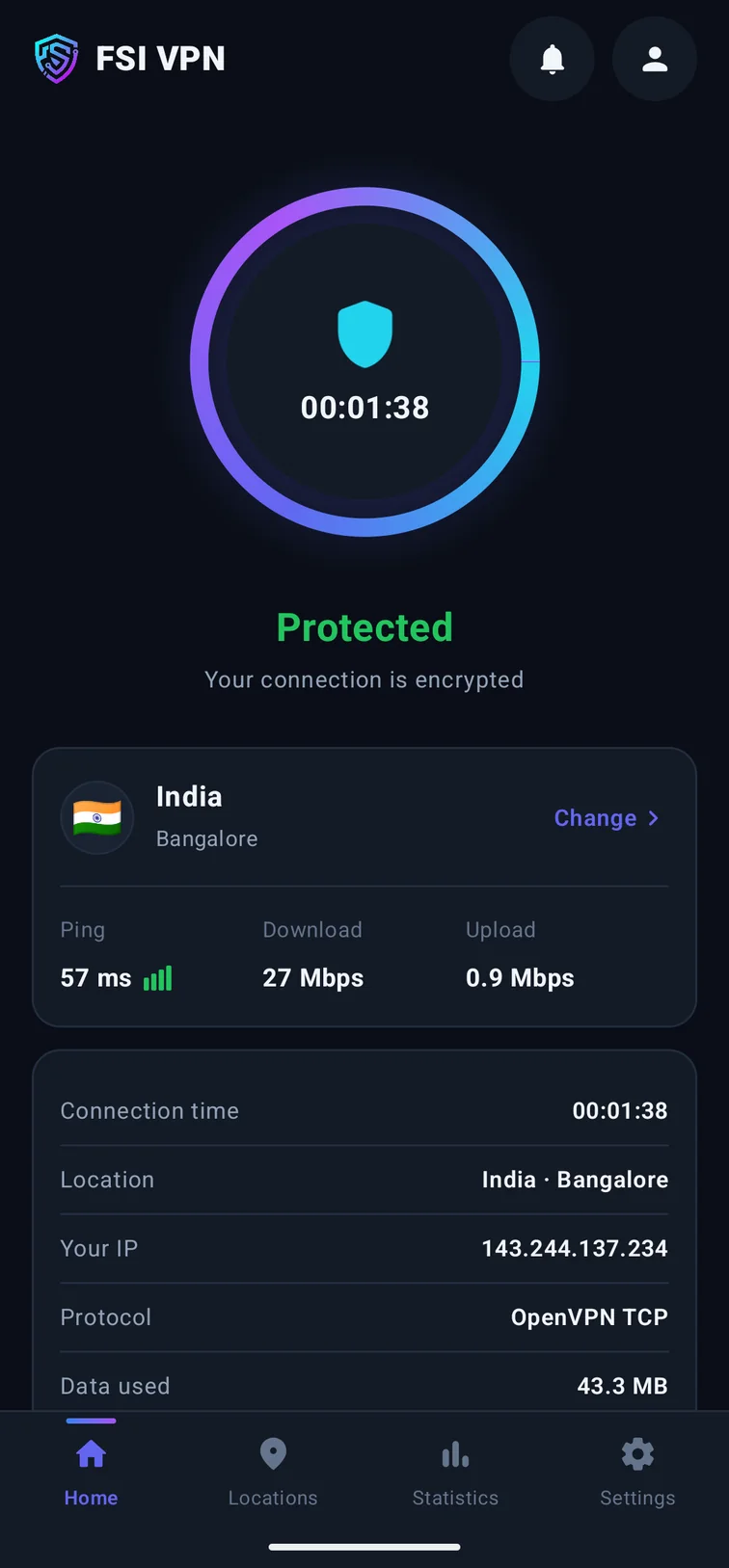
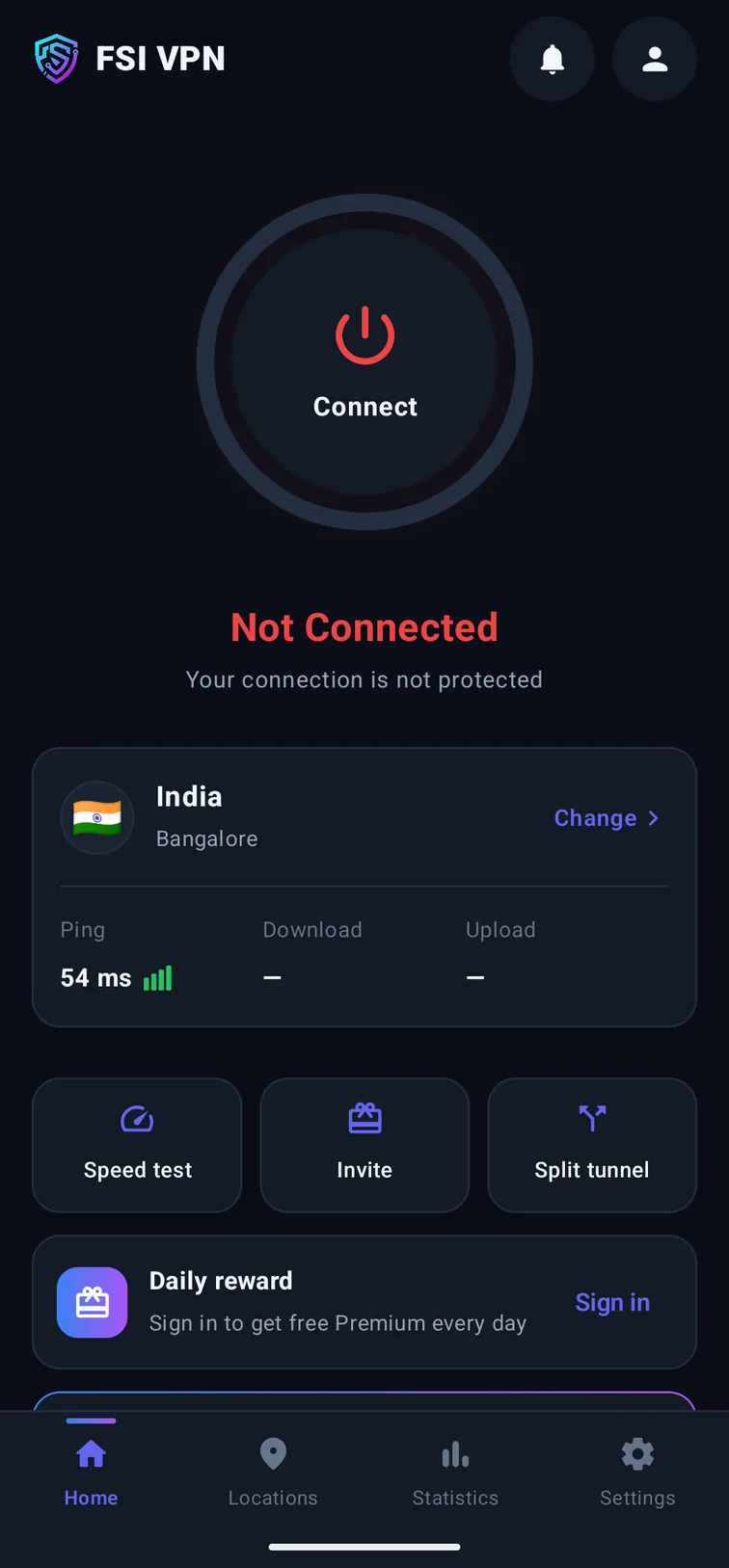
A single button, a live timer and real download and upload speeds. Turn on Auto Connect and it connects when you open the app.
FSI VPN encrypts your internet traffic with OpenVPN and hides your IP address. Use it on café Wi-Fi, at home or while you travel.
Every feature below is in the app today. No fake toggles, no inflated server counts.
A single button, a live timer and real download and upload speeds. Turn on Auto Connect and it connects when you open the app.
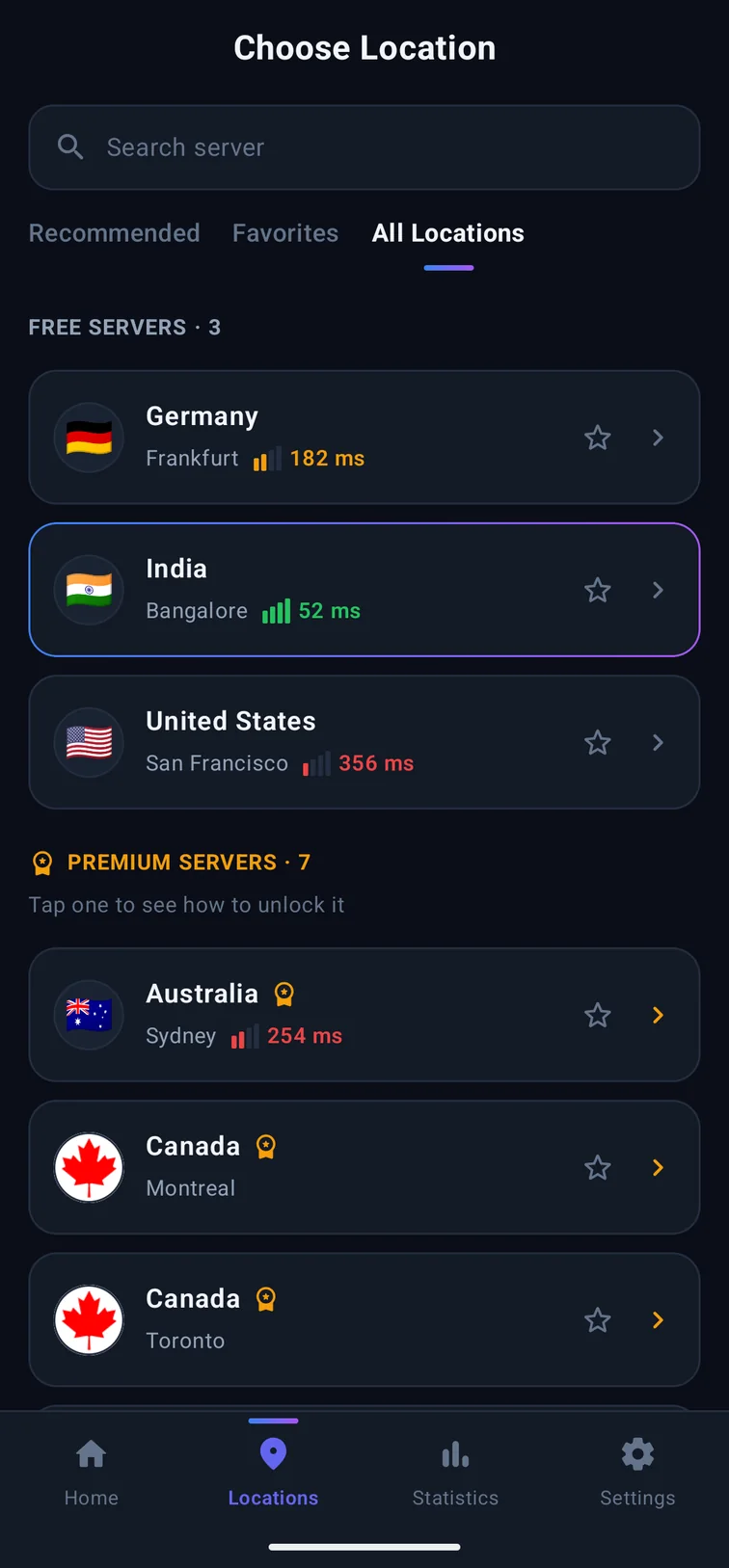
One tap picks the fastest and nearest location for you. While connected you see the real ping through the VPN. Star favourites and jump back to recent locations.
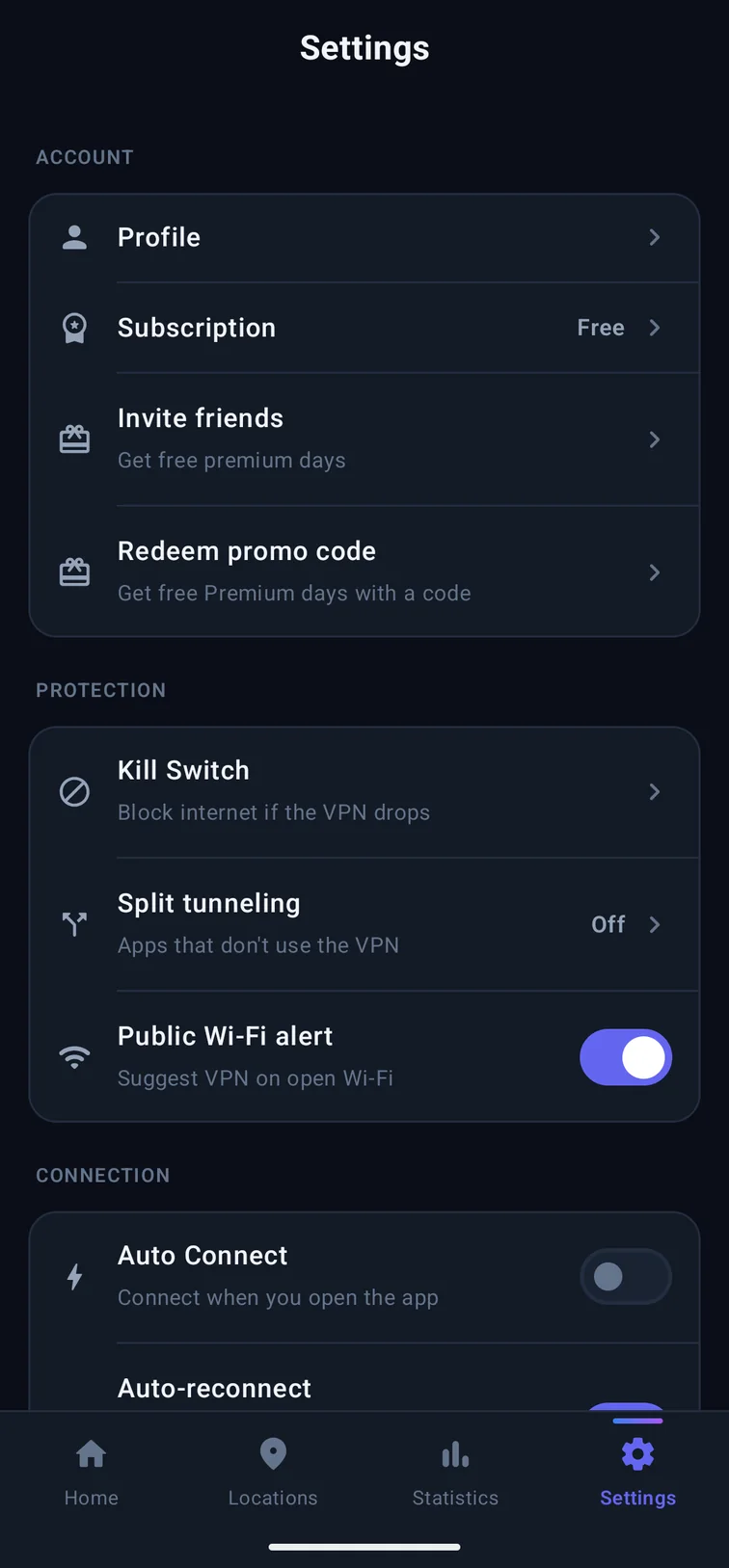
Choose apps that skip the VPN, such as banking or local streaming apps. Everything else stays inside the tunnel.
Use Android's Always-on VPN with "Block connections without VPN", so nothing leaks if the connection drops. The app opens the setting for you.
Join an open Wi-Fi network without a password and FSI VPN suggests connecting first.
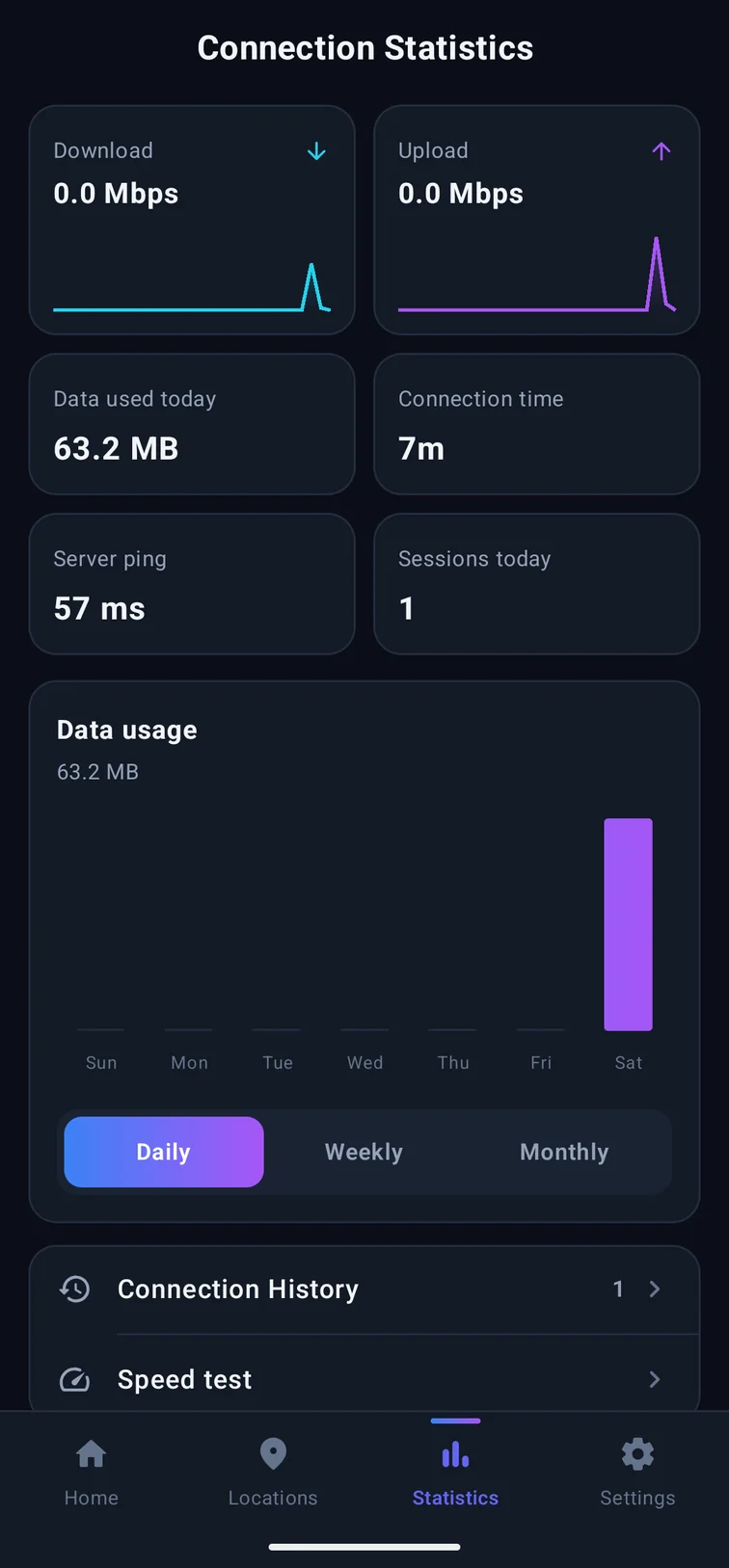
ANDROID 12+Data used per day, week and month, your connection history, and a daily alert before you go over your mobile data.
Test your speed through the tunnel and see the IP address websites see, right on the home screen.
Connect or disconnect from the Quick Settings panel or a home-screen widget, without opening the app.
Share your invite code. When a friend joins with it, you both get free Premium days.
Fast servers we run ourselves, on TCP port 443 with an encrypted handshake. They keep no connection logs and are harder for networks to block.
Switch between Wi-Fi and mobile data and FSI VPN brings the protection back on its own. Turn on Auto Connect to connect when you open the app.
Sign in and open the app each day to collect free Premium time, with a full day on every 7th day. Promo codes are always free.
Free and Premium locations in Asia, Europe, North America and Oceania. The app shows which ones are free, and the list keeps growing.
Pick a country or let Fastest server choose the fastest and nearest one for you.
The first time, Android asks you to allow the VPN connection. You only do this once.
Your traffic travels through an encrypted tunnel, and websites see the server's IP address instead of yours.
Your connection is not protected
Light and dark themes, in English and Hindi. Swipe to see more.
A VPN only makes sense if you can trust it. Here is exactly what happens to your data.
$0 · no account needed
Supported by ads.
Prices shown in Google Play, in your currency
Google Play version: billed by Google Play and renews automatically. Cancel any time in Google Play. A free trial is offered when available. App from vivo, Samsung or Xiaomi stores: unlock Premium locations with the free rewards.
Yes. You can use the free locations and every feature at no cost, with ads. Premium adds all locations, faster servers and removes ads.
No. FSI VPN never records the websites you visit, the content of your traffic or your DNS requests. Connection statistics are only sent if you agree, and you can turn them off in Settings.
Download the app (APK) right here on this page. It is also coming to the vivo App Store and Google Play. Only download FSI VPN from this website or official app stores.
Singapore, India, Germany, United Kingdom, Netherlands, Australia, United States and Canada, with more coming. The app marks which locations are free and which are Premium.
OpenVPN, a widely used open-source protocol. Our own servers use OpenVPN on TCP port 443 with AES-256-GCM encryption and an encrypted handshake (tls-crypt), which also helps on networks that block VPNs.
Open Settings → Kill Switch in the app. It takes you to Android's VPN settings, where you turn on Always-on VPN and Block connections without VPN for FSI VPN.
Watch a short ad on a Premium location, invite friends, collect the daily reward, or enter a promo code in Settings. Signing in with Google is needed for rewards. Promo codes are always free - never pay anyone for one.
Open Google Play, tap your profile picture, then Payments & subscriptions → Subscriptions → FSI VPN → Cancel. Premium stays active until the end of the period you paid for.
In the app, go to Settings → Profile → Delete account. Without the app, follow the steps on our account deletion page.
Android phones and tablets running Android 7.0 or newer.

Free to download. One tap to connect.
Version 2.9.0 · 25 MB · Android 7.0 or newer